
Florida Times-Union
USA TODAY Co.News & Magazines
3.058.00 Reviews
- Version
- 8.10.3
- Installs
- 10.00K
- Age Rating
- Everyone 10+
Screenshots
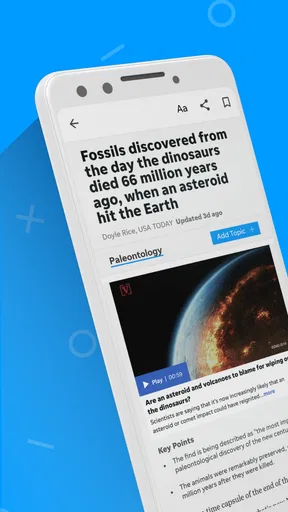

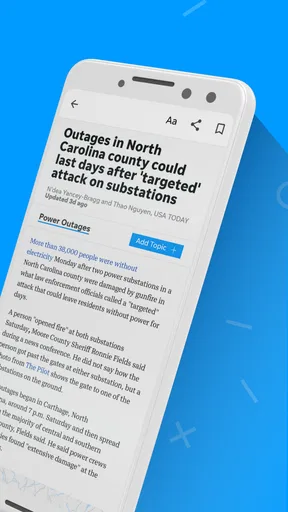
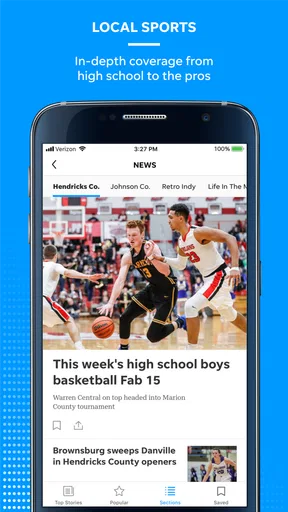
Our Review of Florida Times-Union
 Analysis by Appyee
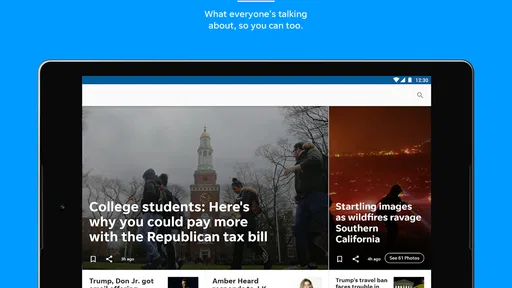
On a shared tablet in my home, the Florida Times-Union app makes the most sense as a local news window rather than a general-purpose news replacement. I use it when I want to catch up on Jacksonville-area reporting, scan broader headlines, and look at visual coverage without opening several unrelated apps. It is a free News & Magazines app from USA TODAY Co., and its focus is clear from the moment I start using it: local and national stories, photography, and video gathered around the Florida Times-Union identity.
That focus is useful in a household where people do not all follow the same subjects. One person may want local developments, another may prefer national headlines, and someone else may simply open the app for a quick look at photographs or clips. I would recommend it to readers who want a newspaper-branded local source on Android, especially if they already recognize the Florida Times-Union as a publication they trust. I would be more cautious about making it the only news source in a home, because its average rating is 3.0 from around 100 ratings, which suggests a mixed experience rather than universal satisfaction.
How the app works in a shared household
I’d treat the app as a shared starting point for local news, not as a tool for managing separate household accounts or reading preferences. A useful routine is to agree on who handles any sign-in or purchase decisions, then let each person browse independently and pass along only stories they have actually read. That keeps the tablet practical while leaving room for different interests and comfort levels.
A practical role for the family tablet
The most realistic use case is a shared device kept in a kitchen, living room, or home office. I can imagine opening the app while breakfast is being prepared, checking local headlines, and leaving the tablet available for another household member who wants to watch a news video later. That kind of short, repeated visit suits a newspaper app better than treating it like a social feed that demands constant attention.
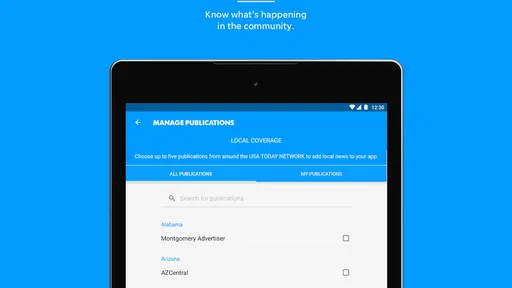
The app’s local-and-national mix also gives it a useful middle ground. A purely national news application can make local events feel distant, while a narrowly local source may not cover the wider context a reader wants. Here, I can begin with the area around the Florida Times-Union and then move toward larger stories without changing apps. The transition is convenient, although readers who want a carefully customized national news dashboard may find dedicated aggregators more flexible.
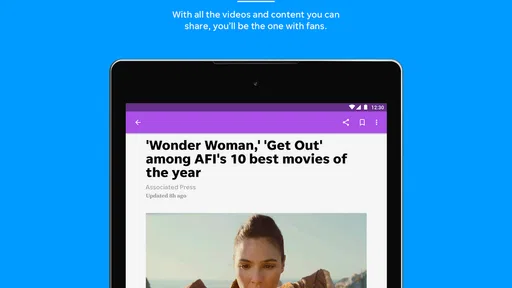
Photography is another reason it can work well on a shared screen. A phone is fine for reading a short article, but a tablet offers a better view of news images and video. I would not confuse attractive presentation with complete coverage, though. Visual material can draw attention quickly, while the written article may still be necessary for names, background, and local detail. My habit is to use the image or clip as an entry point, then read before forming an opinion.
What I would do before handing over the device
Because this is a shared-use situation, I would establish simple household boundaries myself rather than assume the app will manage them. I would decide whether the tablet is for casual browsing, scheduled news checks, or both. I would also agree that one person should not leave a long video playing when another person needs the device. These are ordinary coordination rules, but they matter more with news than with many other apps because the content can change the mood of a room.
The app is free to install, which lowers the barrier for trying it on a family device. However, the listing also includes in-app purchases ranging from about fifteen dollars to seventy dollars per item. That makes it important to pay attention during any purchase flow, particularly when a tablet is shared with children or guests. I would keep purchasing decisions with the household member who manages subscriptions and spending, and I would not let a child explore payment screens unsupervised.
I also prefer to keep account boundaries clear. If the app asks a household member to sign in or make a purchase, that person should use their own credentials rather than borrowing someone else’s. I would not treat a shared tablet as proof that everyone should share one account. Separate responsibility makes it easier to know who chose a paid option and prevents a casual news check from becoming an argument about access.
Coordinating local news without turning it into noise
One non-obvious advantage of a local newspaper app is that it can become a coordination tool for a household. I might read a local report in the morning and mention it at dinner, while another person checks the related video later. The app does not need to be a family planner to support that habit; its value comes from giving everyone a common place to start a conversation about what is happening nearby.
My practical tip is to avoid passing around a headline without reading the article. News notifications and prominent images can create a strong first impression, but local stories often depend on details that are easy to miss in a quick scan. If I want to share something with another household member, I summarize the relevant point in my own words and tell them whether I read the full piece or only saw the headline. That small distinction helps prevent accidental exaggeration.
I would also separate “need to know” from “interesting to know.” For example, a household may need to discuss a local disruption, while a national opinion piece can wait until later. Using the app in this order keeps the shared device useful instead of making every fresh story feel urgent. This is especially helpful when several people have different tolerance levels for breaking news, crime coverage, politics, or emotionally difficult images.
Age context and trust on a shared device
The content rating is Everyone 10+, so I would treat the app as suitable for older children with adult judgment rather than as a child-focused news environment. A ten-year-old may be able to navigate the interface, but that does not mean every article, photograph, or video will be comfortable or easy to understand. I would show a child how to return to the main news area, explain that headlines can be incomplete, and encourage questions about unfamiliar subjects.
Trust matters more than the age label alone. The developer is USA TODAY Co., a recognizable news publisher, but a publisher name should not replace normal media literacy. I would encourage younger readers to compare important claims with another reliable source and to ask an adult when an article involves emergencies, health, money, or frightening events. For adults, the same principle applies: a polished presentation is not a reason to skip context.
On a family device, I would be careful about leaving the app open on a distressing image or video. Someone else might pick up the tablet without expecting it, especially a younger child. My solution would be simple: close the story after reading it and return to a neutral screen before handing over the device. That is not a special feature; it is a considerate routine that makes a general news app easier to share.
Reading experience compared with common alternatives
Compared with a web browser, the Florida Times-Union app feels more direct for repeated visits. I do not have to begin with a search every time I want to look at the publication. That convenience is valuable on a phone, where a browser can quickly become cluttered with tabs. On the other hand, a browser is often better when I want to compare several publishers side by side or search broadly across older material.
Compared with a national news aggregator, this app has a stronger sense of place. An aggregator may offer more control over topics and sources, but it can also flatten local reporting into one item among many. The Florida Times-Union experience is more appropriate when local relevance is the reason I opened the app in the first place. If I mainly want technology, international affairs, sports from many regions, or highly personalized topic feeds, I would probably choose a broader service.
It also differs from a social media feed. Social platforms are faster at surfacing reactions and conversation, but they mix reporting with commentary, reposts, and personal claims. I prefer the newspaper app when I want a clearer starting point for a story. I prefer social media when I want to see how people are responding in real time. Neither replaces the other completely, and using the app for reporting rather than debate helps me get more from it.
Version, device fit, and everyday friction
The current version is 8.10.3, and the app requires Android 8.0 or later. That makes checking the device worthwhile before planning a household rollout. On a newer Android phone or tablet, installation should be a straightforward experiment; on an older shared tablet, compatibility may be the first obstacle. I would update the device before blaming the app for performance problems, because an outdated operating system can affect many apps at once.
With over ten thousand installs, it is not an unknown sideloaded utility, but it is also not something I would assume every household member already understands. I would give first-time users a short tour: where the local coverage begins, how to return from a video, and how to recognize when they are reading a full article rather than only scanning a card. This takes less than a minute and prevents the common complaint that an app feels confusing simply because nobody explained its layout.
My main reservation is the possibility of friction around paid options. A free starting point is appealing, but the presence of sizable in-app purchase amounts means I would not hand the device to a child without discussing spending boundaries. I would also avoid assuming that every household member wants the same level of access. One person may be happy with occasional reading, while another may expect a deeper newspaper experience. The app works best when those expectations are discussed early.
Who should use it, and who should skip it
I think it is a good fit for a Florida household that wants local reporting in an app-shaped format, especially on a shared Android device. It is also suitable for someone who likes combining written stories with photography and video, or for a reader who wants local coverage alongside national news without maintaining several publisher apps. The free entry point makes it easy to test personally before involving the whole household.
I would skip it if my priority were a completely customizable news stream, a single app covering many international sources, or a strongly filtered environment for young children. I would also look elsewhere if I wanted one shared family account with carefully separated profiles and controls; I would not assume this app provides those boundaries. In that case, a broader platform with clearly documented household tools may be a better choice, even if its local reporting is less focused.
Another reason to skip it is reading habit. If I only check headlines through a browser once a month, installing a dedicated app may add little value. The app earns its place when I return often enough that direct access, local emphasis, and visual coverage save time. For occasional readers, the usual web route may be simpler and easier to compare with other sources.
My household verdict
After using it as a local news companion, I see the Florida Times-Union as a focused option rather than an all-purpose answer. Its strongest quality is the combination of nearby reporting, national context, photography, and video in one recognizable newspaper environment. On a shared device, that gives a household a common starting point for local awareness, provided everyone understands that the app is a news source, not a family-management tool.
I like the free access for trying it, but I would set spending rules before letting several people use the same tablet. I would also keep age and trust in mind: the Everyone 10+ rating is a useful guide, not a promise that every story will suit every child. My best workflow is simple—one adult manages account and purchase decisions, readers check the full story before sharing it, and younger users ask questions about difficult coverage.
My recommendation is conditional but positive: choose it when local Florida Times-Union coverage is the main reason you want a news app, and when your household is comfortable setting its own boundaries. Choose a browser or a broader news aggregator when comparison, personalization, or wider subject coverage matters more than local identity. For the right reader, this is a practical shared-device news app; for everyone else, its narrow focus and mixed rating are good reasons to try it briefly before making it part of the daily routine.
Verdict
Strengths of Florida Times-Union
- Covers Jacksonville and Northeast Florida news in strong local detail.
- Includes breaking news, investigations, sports, and community updates.
- Clean mobile reading experience with customizable news alerts.
- Digital subscription may include access to premium local reporting.
- Useful for readers who want regional news beyond national headlines.
Limitations of Florida Times-Union
- Many premium articles may require a paid subscription to read fully.
- Some users may find frequent notifications distracting.
- Coverage is mainly regional and may feel limited outside Northeast Florida.
- Advertising can affect the reading experience for non-subscribers.
- App performance and content availability may vary by device or update.
Other Releases by USA TODAY Co.
View All
IndyStar: Indianapolis Star
News & Magazines2.7

AZ Central: Arizona Republic
News & Magazines2.5

The Detroit News: Local News
News & Magazines3.1

Detroit Free Press: Freep
News & Magazines3.0
Similar Picks in This Category
View All
Google News - Daily Headlines
Google LLC4.0

X
X Corp.4.8

Flipboard:Your Social Magazine
Flipboard3.4

Opera News: breaking & local
Opera4.5

Hindi News by Dainik Bhaskar
Dainik Bhaskar Group4.0

Way2News Daily News App
Way2News ( Formerly Way2SMS )4.6
Frequently Asked Questions
What is the Florida Times-Union app?
The Florida Times-Union app is the mobile companion to the Jacksonville-based newspaper, providing access to local reporting, breaking news, sports, politics, business, entertainment, and community coverage. After installing it, readers can browse the latest headlines, open full articles, and keep up with stories from Jacksonville and surrounding Northeast Florida areas in a format designed for phones and tablets.
Is the Florida Times-Union app free to download and use?
Downloading the Florida Times-Union app is generally free, so you can install it and explore available sections without paying an upfront fee. However, access to all articles may depend on the publication’s subscription or digital-access rules. Some content can be limited after a certain number of visits, meaning frequent readers may need an active subscription or account to continue reading without restrictions.
What kind of news can I read in the Florida Times-Union app?
The app focuses strongly on Jacksonville and Northeast Florida, making it useful for readers who want news that national outlets often overlook. Depending on the current edition and publishing schedule, you may find local government coverage, crime and public safety updates, Jacksonville Jaguars and other sports news, schools, weather, business, opinion, entertainment, and community stories.
Does the Florida Times-Union app require an account or subscription?
You may be able to download the app and read some freely available material without creating an account, but an account can be required for personalized features, subscriber access, or managing a digital membership. If the app applies a paywall, a subscription may also be necessary to read the full archive and a larger number of premium articles. Check the in-app subscription terms before purchasing.
Does the Florida Times-Union app support notifications and offline reading?
The app may offer notifications for breaking news and important local updates, although notification availability can vary by device settings and app version. You should review its notification controls so alerts match your preferences. Offline reading is not guaranteed for every article; some versions may support limited saved content, while other stories require an internet connection to load completely.
